

Concrete5 CMS demo
A practical demonstration of how a content management system can make routine website updates easier to understand and manage.
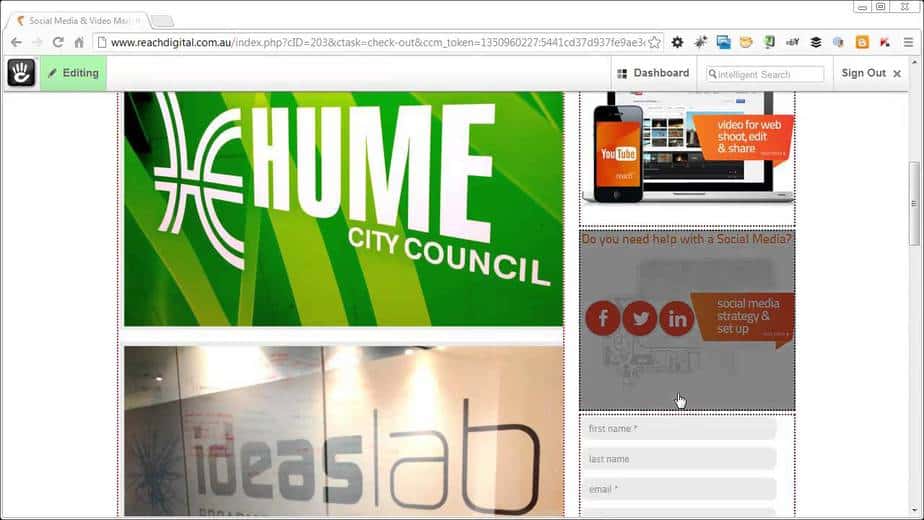
A useful content management system should make everyday website updates feel straightforward. This Concrete5 CMS demonstration shows how page content, images and other common website elements can be managed through a visual editing interface.
The platform is the example. The wider principle is more important: a business website should not require technical intervention every time a team needs to make a useful content change.
Clear content editing
Routine updates are easier when editors can understand where content lives and how a change will affect the page. Clear labels, a logical page structure and a visual connection between the editor and the finished website all reduce unnecessary technical friction.
That does not mean every part of a website needs to be freely adjustable. The useful controls are the ones a team genuinely needs, such as updating service information, replacing an image, refining page copy or publishing a timely notice.
Giving clients appropriate control
A well-planned CMS gives clients control over routine content without asking them to become web developers. Common page updates should be manageable, while the design system, accessibility requirements and important technical settings remain stable.
This balance protects the quality of the website without making every small change dependent on technical support. It also gives the people closest to the business a practical way to keep useful information accurate.
Choosing a CMS around its users
CMS decisions should start with the people who will actually use the website. Their confidence, publishing needs, approval process and level of technical comfort matter alongside the wider requirements of the project.
The right setup depends on context. A small service business making occasional updates needs a different editing experience from a larger team managing frequent content across many page types. The goal is not maximum flexibility, but enough well-structured flexibility for the work the team needs to do.
Concrete5 editing demonstration
Planning a clearer website for your service business?
Talk to Reach Digital about what your website needs to do next, for the customers you’re trying to reach now.